

Introduction
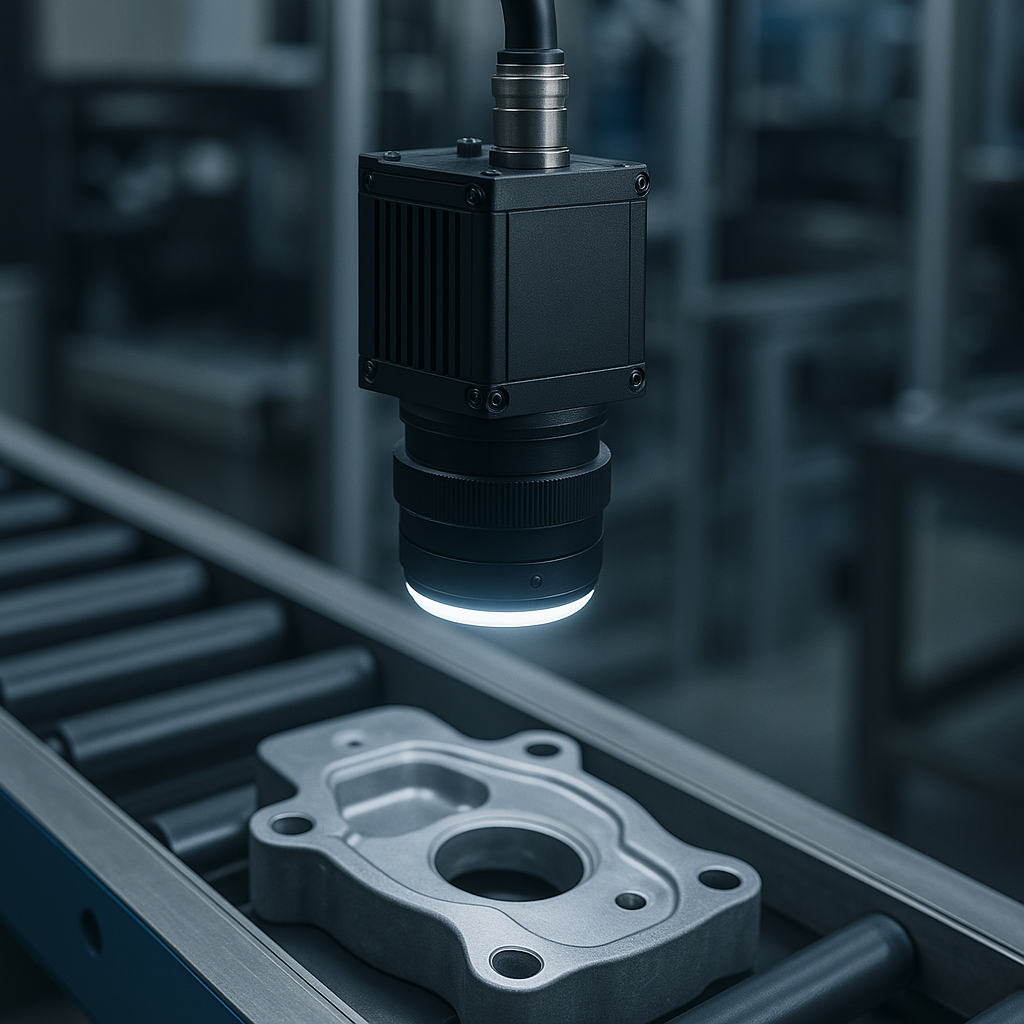
The Daheng Imaging Galaxy SDK (gxipy) is a powerful Python interface for industrial camera control, designed for mission-critical applications requiring continuous, high-throughput image acquisition. This guide distills best practices from production environments to help you achieve reliable, zero-frame-loss image capture in automated inspection pipelines.
Critical Settings for Continuous Pipeline Capture
Trigger Configuration
Proper trigger setup is fundamental to synchronized acquisition in multi-camera systems.
Hardware Trigger Setup for external synchronization ensures frame-accurate capture across multiple cameras operating in a production line:
python

remote_features = camera.get_remote_device_feature_control()

# Disable trigger first
remote_features.get_enum_feature("TriggerMode").set("Off")

# Configure trigger selector
remote_features.get_enum_feature("TriggerSelector").set("FrameStart")

# Set trigger source (Line0 for standard GPIO triggers)
remote_features.get_enum_feature("TriggerSource").set("Line0")

# Configure trigger activation edge
remote_features.get_enum_feature("TriggerActivation").set("RisingEdge")

# Set acquisition mode to continuous
remote_features.get_enum_feature("AcquisitionMode").set("Continuous")

# Enable trigger
remote_features.get_enum_feature("TriggerMode").set("On")
Software Trigger is useful for testing or non-real-time applications:
python
remote_features.get_command_feature("TriggerSoftware").send_command()
Buffer Management
Buffer handling is the single most important factor preventing frame drops in continuous capture.
Stream Buffer Handling Mode determines how the camera manages incoming frames when the buffer fills:
python
# NEWESTONLY mode - discards old frames, keeps latest (recommended for real-time)
camera.data_stream[0].set_acquisition_buffer_number(5)

# Access buffer mode through stream feature control
stream_features = camera.data_stream[0].get_featrue_control()
stream_features.get_enum_feature("StreamBufferHandlingMode").set("NEWESTONLY")
Buffer handling modes:
- OldestFirst: Process frames in capture order (FIFO) – may cause buffer overflow
- OldestFirstOverwrite: Overwrites oldest unprocessed frame when full
- NewestOnly: Always keeps the most recent frame (best for real-time inspection)
Buffer Size Optimization:
python
# Set buffer count (3-10 buffers recommended)
camera.data_stream[0].set_acquisition_buffer_number(5)

# Get payload size for memory allocation
payload_size = camera.data_stream[0].get_payload_size()
Exposure and Gain
Proper exposure balances image quality with acquisition speed.
Exposure Time Configuration:
python
# Disable auto-exposure for consistent timing
remote_features.get_enum_feature("ExposureAuto").set("Off")

# Set exposure time in microseconds (μs)
exposure_feature = remote_features.get_float_feature("ExposureTime")
exposure_feature.set(10000.0)  # 10ms exposure
Exposure time selection:unified.py
- Fast-moving objects: 100-2000 μs (minimize motion blur)
- Standard inspection: 2000-20000 μs (balance speed and quality)
- Low-light scenarios: 20000-50000 μs (maximize light capture)
Gain Configuration:
python
# Disable auto-gain
remote_features.get_enum_feature("GainAuto").set("Off")

# Set gain value (dB)
gain_feature = remote_features.get_float_feature("Gain")
gain_feature.set(15.0)  # 15 dB gain for low-light conditions
Gain strategy:unified.py
- Start with 0-5 dB for well-lit environments (minimal noise)
- Use 10-15 dB for moderate lighting (acceptable noise/quality trade-off)
- Avoid exceeding 20 dB (significant noise amplification)
Image Acquisition Methods
gxipy provides three acquisition approaches with different performance characteristics.
Method 1: dqbuf/qbuf (Zero-Copy – Recommended for Production)
This is the fastest method, providing direct buffer access without memory copying:
python
camera.stream_on()

while running:
    # Dequeue buffer (timeout in milliseconds)
    raw_image = camera.data_stream[0].dqbuf(1000)

    if raw_image is None:
        continue

    if raw_image.get_status() != gx.GxFrameStatusList.SUCCESS:
        camera.data_stream[0].qbuf(raw_image)
        continue

    # CRITICAL: Copy image data immediately
    image_data = raw_image.get_numpy_array().copy()

    # Return buffer to acquisition system IMMEDIATELY
    camera.data_stream[0].qbuf(raw_image)

    # Process copied data (never hold the buffer)
    process_image(image_data)

camera.stream_off()
Key principles:unified.py
- Always call
qbuf()immediately after copying data - Never process images while holding the buffer
- Missing
qbuf()calls will cause frame loss
Method 2: getimage (Automatic Memory Management)
Simpler but involves internal memory copying:
python
camera.stream_on()

for i in range(num_images):
    raw_image = camera.data_stream[0].get_image(1000)

    if raw_image is None:
        continue

    if raw_image.get_status() == gx.GxFrameStatusList.SUCCESS:
        image_data = raw_image.get_numpy_array()
        process_image(image_data)

camera.stream_off()
Method 3: Callback (Event-Driven – Best for Multi-Camera)
Ideal for asynchronous multi-camera systems:
python
def capture_callback(raw_image):
    if raw_image.get_status() == gx.GxFrameStatusList.SUCCESS:
        image_data = raw_image.get_numpy_array().copy()
        process_image(image_data)

# Register callback BEFORE starting acquisition
camera.data_stream[0].register_capture_callback(capture_callback)
camera.stream_on()

# Acquisition happens automatically
time.sleep(capture_duration)

camera.stream_off()
camera.data_stream[0].unregister_capture_callback()
Pixel Format and Conversion
Efficient pixel format handling reduces processing
Setting Pixel Format:
python
# Common formats
remote_features.get_enum_feature("PixelFormat").set("Mono8")  # 8-bit grayscale
remote_features.get_enum_feature("PixelFormat").set("BayerRG8")  # Raw Bayer
remote_features.get_enum_feature("PixelFormat").set("RGB8")  # 8-bit RGB
Format Conversion:
python
# Create converter
converter = device_manager.create_image_format_convert()

# Set target format
converter.set_dest_format(gx.GxPixelFormatEntry.RGB8)

# Set valid bits (for 10/12-bit sensors)
converter.set_valid_bits(gx.DxValidBit.BIT4_11)  # Use bits 4-11

# Convert image
rgb_image_buffer = converter.imageformatconvert_get_buffer_size_for_conversion(raw_image)
rgb_image = create_buffer(rgb_image_buffer)
converter.convert(raw_image, rgb_image, rgb_image_buffer, False)
Performance Optimization Strategies
Timeout Configuration
Appropriate timeout values prevent deadlocks while avoiding false failures:
python
DEFAULT_TRIGGER_TIMEOUT = 30  # seconds for triggered acquisition
acquisition_timeout = 1000  # milliseconds for dqbuf/getimage
Error Recovery
Robust error handling ensures continuous operation:
python
consecutive_errors = 0
max_consecutive_errors = 5

while running:
    try:
        raw_image = camera.data_stream[0].dqbuf(1000)

        if raw_image and raw_image.get_status() == gx.GxFrameStatusList.SUCCESS:
            consecutive_errors = 0  # Reset on success
            process_image(raw_image)
            camera.data_stream[0].qbuf(raw_image)
        else:
            if raw_image:
                camera.data_stream[0].qbuf(raw_image)

    except gx.InvalidAccessException as e:
        consecutive_errors += 1

        if consecutive_errors >= max_consecutive_errors:
            # Attempt recovery
            camera.stream_off()
            time.sleep(0.5)
            clear_buffer(camera)
            camera.stream_on()
            consecutive_errors = 0
Frame Loss Detection
Monitor timing gaps to detect missed triggers:
python
last_frame_time = None

while running:
    raw_image = camera.data_stream[0].dqbuf(1000)
    current_time = time.time()

    if last_frame_time:
        time_diff = current_time - last_frame_time

        if time_diff > 2.0:  # Expected trigger interval
            print(f"Possible missed trigger: {time_diff:.2f}s gap")

    last_frame_time = current_time
    process_frame(raw_image)
Diagnostics and Monitoring
Track key performance metrics:
python
frame_count = 0
dropped_frame_count = 0
error_count = 0

def print_diagnostics():
    success_rate = (frame_count / (frame_count + dropped_frame_count) * 100
                    if frame_count + dropped_frame_count > 0 else 0)

    print(f"Frames captured: {frame_count}")
    print(f"Frames dropped: {dropped_frame_count}")
    print(f"Errors: {error_count}")
    print(f"Success rate: {success_rate:.2f}%")
Complete Production-Ready Example
Here’s a minimal, production-grade continuous capture implementation:
python
import gxipy as gx
import time
import numpy as np

def continuous_capture():
    # Initialize device manager
    device_manager = gx.DeviceManager()
    dev_num, dev_info_list = device_manager.update_all_device_list()

    if dev_num == 0:
        print("No cameras found")
        return

    # Open camera by serial number
    camera = device_manager.open_device_by_sn(dev_info_list[0].get("sn"))
    remote_features = camera.get_remote_device_feature_control()

    # Configure camera
    remote_features.get_enum_feature("TriggerMode").set("Off")
    remote_features.get_enum_feature("PixelFormat").set("Mono8")
    remote_features.get_float_feature("ExposureTime").set(10000.0)  # 10ms
    remote_features.get_float_feature("Gain").set(0.0)  # No gain

    # Configure hardware trigger
    remote_features.get_enum_feature("TriggerSelector").set("FrameStart")
    remote_features.get_enum_feature("TriggerSource").set("Line0")
    remote_features.get_enum_feature("TriggerActivation").set("RisingEdge")
    remote_features.get_enum_feature("AcquisitionMode").set("Continuous")
    remote_features.get_enum_feature("TriggerMode").set("On")

    # Configure buffer
    camera.data_stream[0].set_acquisition_buffer_number(5)

    # Start acquisition
    camera.stream_on()
    print("Camera ready for triggers...")

    frame_count = 0
    running = True

    try:
        while running and frame_count < 100:  # Capture 100 frames
            raw_image = camera.data_stream[0].dqbuf(30000)  # 30s timeout

            if raw_image is None:
                continue

            if raw_image.get_status() != gx.GxFrameStatusList.SUCCESS:
                camera.data_stream[0].qbuf(raw_image)
                continue

            # Process image immediately
            image_data = raw_image.get_numpy_array().copy()
            camera.data_stream[0].qbuf(raw_image)  # Return buffer

            # Save or process image
            frame_count += 1
            print(f"Frame {frame_count} captured")

    except KeyboardInterrupt:
        print("Stopped by user")
    finally:
        camera.stream_off()
        camera.close_device()
        print(f"Captured {frame_count} frames")

if __name__ == "__main__":
    continuous_capture()
Common Pitfalls and Solutions
Problem: Frame drops during continuous capture
Solution: Use NEWESTONLY buffer mode and ensure qbuf() is called immediately after data copy
Problem: Camera timeout errors
Solution: Increase timeout values for triggered acquisition (30+ seconds) and verify hardware trigger signals
Problem: Inconsistent image brightness
Solution: Disable auto-exposure and auto-gain, set fixed values based on lighting conditions
Problem: Memory leaks during long captures
Solution: Always return buffers with qbuf() in dqbuf mode, or use callback with proper cleanup
Problem: Multiple cameras interfering
Solution: Configure unique packet sizes/delays for GigE cameras, use separate threads with proper synchronization
This guide provides the foundation for building reliable, high-performance industrial vision systems with gxipy. For specialized applications like line-scan cameras, multi-camera synchronization, or advanced triggering modes, refer to the official Daheng Galaxy documentation.
